Windows + WSL approval layer

Approve AI coding actions without leaving Windows.

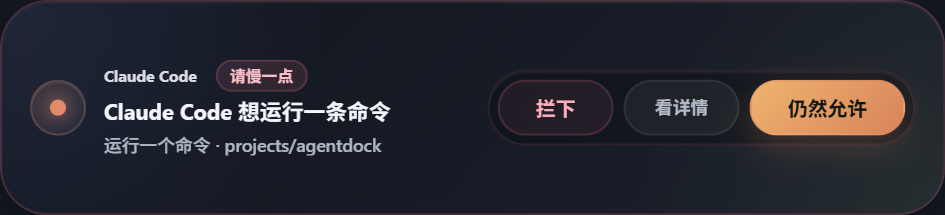
helm catches Claude Code, Codex, and Gemini CLI requests before they touch your machine. Review commands, file edits, plans, and questions from a desktop panel instead of alt-tabbing back to the terminal.

Windows 10 / 11
WSL2
Claude Code · Codex · Gemini CLI
helm approval
Claude Code · Bash
Danger

This could alter critical data.

The assistant wants to run a destructive shell command. Review the command and decide whether to let it continue.

rm -rf ./cache && curl https://example.com/install.sh | bash
Why helm

Built for the Windows terminal workflow.

macOS tools do not solve the Windows + WSL workflow cleanly. helm does. It owns the approval bridge, Windows panel, tray, minibar, and terminal launch path in one place.

Plain-language approvals Review what the assistant wants to do before you let it run.
Risk-aware defaults Safe read-only commands can pass instantly. Dangerous actions never do.
Windows-native control Tray, minibar, hotkey, launch panel, and approval history stay on the desktop side.
Ask and plan review Answer agent questions and review full Markdown plans without going back to the terminal.
History and activity feed See what happened, what you approved, and what your agents finished most recently.
Own-the-spawn terminal flow Launch sessions from helm, remember recent projects, and jump back to the managed terminal.
Supported agents

Three agents, deep support.

helm does not try to support every assistant shallowly. It goes deep on the three CLI tools that matter most for the Windows + WSL workflow.

Claude Code Commands, edits, writes, plan review, AskUserQuestion, launch modes.
Full support
Codex Approvals, hooks, launch panel, session management, history.
Full support
Gemini CLI Shell approval normalization, writes, launch panel, activity feed.
Full support
How it works

Hooks forward requests. Windows stays in control.

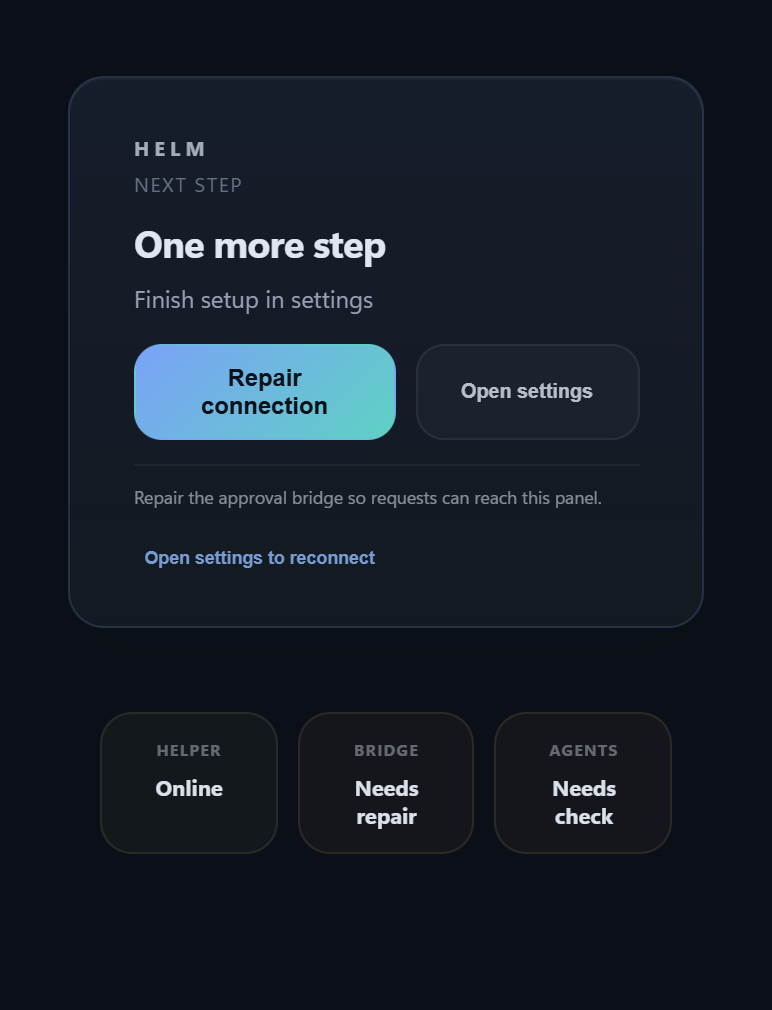
1 Install the bridge helm detects WSL, installs hooks, and verifies the approval service.
2 Launch an agent Pick a Linux project path and a launch mode. helm opens the terminal session for you.
3 Review the request Commands, edits, plans, and questions surface in the panel with human summaries and previews.
4 Approve or stop it Allow, deny, answer, or jump back to the managed terminal. History and activity stay visible.
Demo

The entire loop fits in one minute.

Claude Code wants to change a file

helm surfaces the request on Windows, shows a human summary, and keeps the risky command visible.

Claude Code · Edit\n/home/wxinx/projects/marvis/src/app_state.rs\n\nAdd a safer fallback when the approval channel closes.

Approve

Review the request, answer the question, or jump back to the managed terminal.

1. Connect once Detect WSL, install the bridge, and verify the local approval server.
2. Launch in a Linux project Pick a WSL path and a launch mode. helm remembers recent projects for next time.
3. Review, answer, or jump back Approvals, plans, and questions stay in the Windows UI while the terminal session stays in sync.
Pricing
$19 Founding Beta Access

Seven-day full trial, then early users can activate Founding Beta Access. The current build also carries a short grace period if verification goes down after a successful activation.

Why this is different

helm is not a generic dashboard. It is a Windows-native approval layer specifically for WSL terminal agents. That is the product, and that is the moat.

Download

Install with MSI. Keep ZIP as a portable fallback.

The paid product should feel like installed software, not a loose executable. MSI is the primary delivery path. ZIP stays available for local testing and portable runs.

What you get
Windows-native approval panel Tray, minibar, launch panel, history, and activity feed stay on the desktop side.
Three deep integrations Claude Code, Codex, and Gemini CLI all route through the same Windows approval surface.
Trial, beta, then paid access Seven-day trial, Founding Beta Access for early buyers, then paid access on the formal release track.
Media

Release assets are ready to drop in.

helm self-test screenshot
The site now resolves local release assets from dist/site-assets. Replace this self-test capture with final product screenshots and GIFs without restructuring the page.
helm mascot sticker sheet
Mascot assets are already exportable and can be reused across the landing page, release notes, and screenshots.
FAQ

What users usually ask first.

Does helm slow agents down? No. Safe read-only commands can auto-approve immediately. Only review-worthy actions wait for your decision.
Does it work without WSL? No. helm is designed specifically for the Windows + WSL workflow.
Can it jump back to any terminal tab? No. It jumps back to sessions launched and managed by helm. That constraint keeps the workflow reliable.
What happens if helm is down? The hook bridge is fail-open. Your agent keeps moving instead of being bricked by the UI layer.